220 × 56 SVG · two themes
Launch badge
Once your product has launched, you can put this badge on your own site. It links straight to your launch page, where visitors see the upvotes, the reviews and what people actually said.
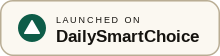
Light/badge-light.svg

Dark/badge-dark.svg
Embed code
<a href="https://dailysmartchoice.com/reviews/YOUR-SLUG" target="_blank" rel="noopener">
  <img src="https://dailysmartchoice.com/badge-light.svg" alt="Launched on DailySmartChoice" width="220" height="56">
</a>- STEP 1
Copy the block above and paste it into your site — footer, about page, changelog or a “we launched” post.
- STEP 2
Swap YOUR-SLUG for the slug at the end of your launch page URL, then point the href at that page.
- STEP 3
On a dark site, change badge-light.svg to badge-dark.svg. Both are 220×56 SVGs served straight from our domain — no sign-up, no key, nothing to approve.
It’s optional. Always.
The badge is a nice-to-have, not a requirement. A free launch never asks for it, and adding, moving or removing it does not change your rank, your launch day or whether your page gets indexed. If you’d rather not link back, that’s fine — we’d rather you stay for the reviews than the logo.